
You spend time getting a GIF just right, hit upload, and the platform rejects it or quietly ruins the quality. Almost every time, the reason is a size limit you did not know about. This guide lists the real, current limit for every major platform, so a GIF you saved with our GIF Downloader goes through the first time.
All the numbers below are checked against each platform’s own documentation and updated for 2026. If a file turns out too big, you can bring it under the limit in seconds.
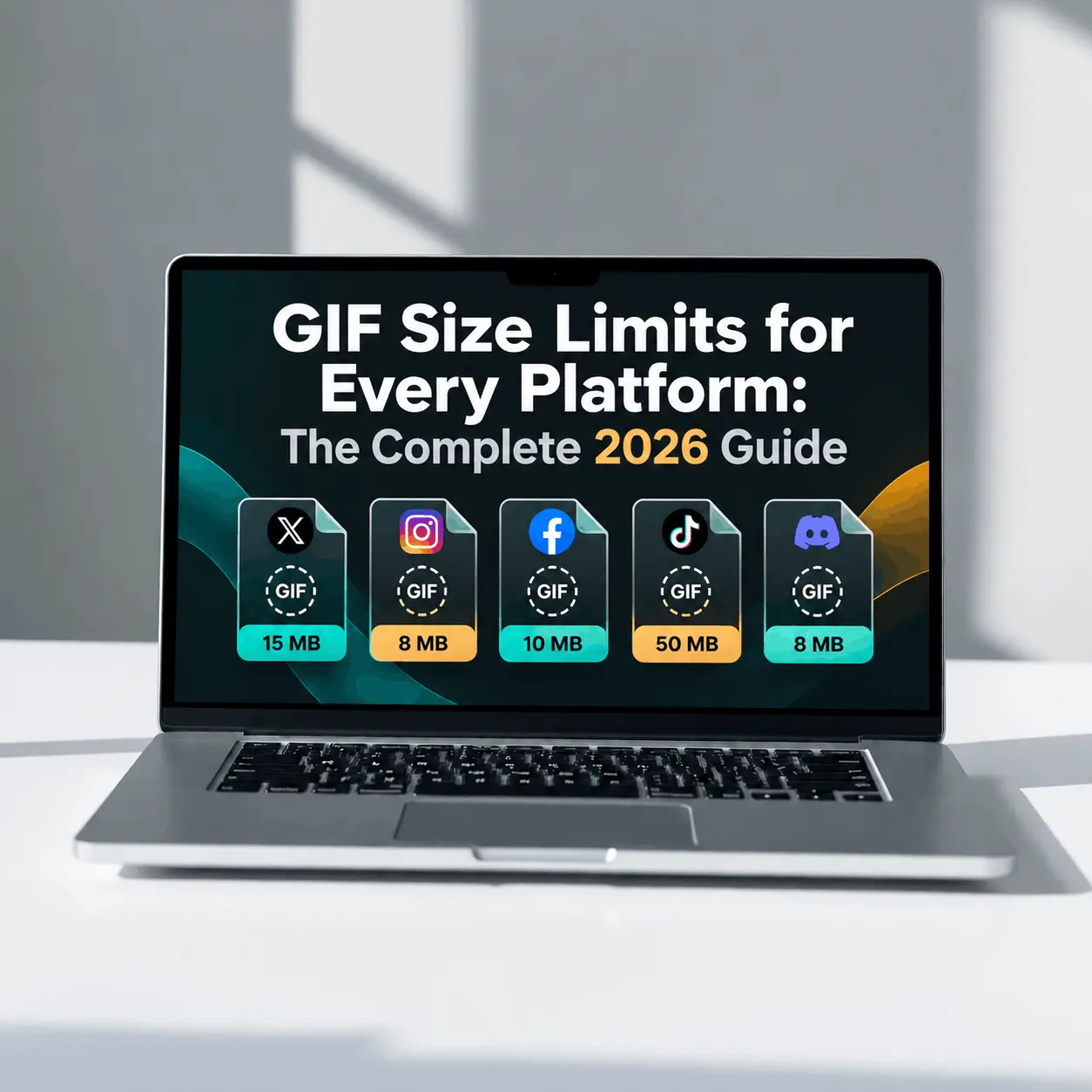
Quick Reference: GIF Size Limits at a Glance
Here is every platform in one table. Scroll down for the details and the tight cases like emoji and stickers.
| Platform | Max GIF size | Good to know |
| Discord (free) | 20 MB | Raised from 10 MB in August 2026 |
| Discord (Nitro Basic) | 50 MB | |
| Discord (Nitro) | 1 GB | |
| Twitter / X (web) | 15 MB | Converted to MP4 after upload |
| Twitter / X (mobile) | 5 MB | Lower than web |
| 16 MB | Compressed on send, under 1 MB stays sharp | |
| Slack (message) | 1 GB | Rarely a problem for GIFs |
| 20 MB | Served back as video | |
| No native GIF | Use an MP4, Reel, or Story sticker | |
| Email (Gmail) | 25 MB | Keep under 2 MB so it opens cleanly |
| Email (Outlook) | 20 MB |
For web pages there is no fixed limit, but aim for under 1 to 2 MB so the page stays fast.
Discord GIF Size Limits
Discord is the platform people ask about most, and it changed recently, so this is where old guides get it wrong.
As of August 2026, the free upload limit is 20 MB, up from 10 MB. Nitro Basic raises it to 50 MB, and full Nitro goes up to 1 GB. So for a normal GIF in a chat, a free account has plenty of room.
The tight limits are the small things, not the chat uploads:
| Where | Limit | Dimensions |
| Chat message GIF | 20 MB (free) | Any, displays small |
| Custom emoji | 256 KB | 128 by 128 px |
| Custom sticker | 512 KB | 320 by 320 px |
A custom emoji is the real challenge. At 256 KB and 128 by 128 pixels, you need to scale down first, then compress hard, since the emoji is viewed tiny anyway.
One recent change worth knowing: Discord now checks file size before compression rather than after. On Android, where source files are larger, you may hit the limit more often than the higher number suggests.
Twitter (X) GIF Size Limits
Twitter, now X, has a limit with a twist. The web upload cap is 15 MB, while the mobile app is lower at 5 MB. Maximum dimensions are 1280 by 1080 pixels.
Here is the twist that confuses people: X does not actually keep your GIF. Its own developer documentation states that an uploaded GIF is automatically converted to an MPEG4 video on the server, a silent clip that loops like a GIF. That is why a GIF you save from X comes back as an MP4, which we explain fully in our guide on why GIFs download as MP4.
Because of the conversion, aim for under 5 MB for smooth playback, even though the web limit is 15 MB.
WhatsApp GIF Size Limits
WhatsApp allows media files up to 16 MB, and GIFs fall under that limit. The catch is not the limit, it is the compression.
WhatsApp compresses animated images when you send them, which can noticeably lower quality on larger files. For reliable, sharp playback, keep a WhatsApp GIF well under 1 MB. If you need the full-quality version to survive, sending it as a document avoids some of the compression, though it will not autoplay the same way.
Slack GIF Size Limits
Slack is the most generous of all. A GIF posted in a channel can be up to 1 GB, which no normal GIF will ever reach. The preview shows inline as long as the image is reasonable in size.
The one tight spot is a custom emoji. Slack asks for a square image under 128 KB, with at most 50 frames. So a Slack chat GIF is easy, but a Slack emoji GIF needs aggressive compression.
Reddit, Instagram, and Email GIF Limits
These three each behave a little differently, so here is what to expect:
- Reddit: The direct upload limit for GIFs is around 20 MB, but Reddit converts GIFs to video on upload, so true GIF playback is not guaranteed. For a real GIF, host it on an image host and share the link.
- Instagram: There is no native GIF upload for feed posts. Animated content comes through the Giphy sticker in Stories, or as a short MP4 that loops in the feed. So there is no GIF size limit to worry about, you just use video instead.
- Email: Gmail caps a whole message at 25 MB and Outlook at about 20 MB. Email encoding adds roughly a third to the file, so keep the real GIF under about 2 MB to be safe, and because many email clients show only the first frame anyway.
Recommended GIF Dimensions by Platform
Hitting the file size limit is easier when you start at the right dimensions. Most GIFs are stored far larger than they are ever displayed, which wastes size for no visible benefit.
| Platform | Suggested width | Notes |
| Discord chat | 400 to 480 px | Displays small in chat |
| Discord emoji | 128 by 128 px | Exact size required |
| Twitter / X | up to 720 px | Displayed small on the timeline |
| 480 px | Keeps the file light for sending | |
| Slack chat | 480 px | Larger loads slower for everyone |
| 320 to 600 px | Smaller opens more reliably |
How to Hit Any Size Limit
When a GIF is over the limit, you do not guess. You adjust three things in order: dimensions first, then colors, then frame rate. Here are starting points for the tight targets:
| Target | Max width | Colors | Frame rate |
| Discord emoji (256 KB) | 128 px | 32 | 8 fps |
| Discord sticker (512 KB) | 320 px | 64 | 8 fps |
| Slack emoji (128 KB) | 128 px | 32 | 8 fps |
| Twitter / X (under 5 MB) | 640 px | 128 | 12 fps |
| WhatsApp (sharp) | 480 px | 128 | 12 fps |
Resizing is the strongest lever by far. Since file size grows with the square of the dimensions, halving the width cuts the file by about 75 percent, usually with no visible loss at display size.
How to Compress a GIF to Fit
The fastest way to meet any limit above is to compress the file directly. Upload it to our GIF Compressor, set a target size or reduce the dimensions and colors, and download a version that fits. The before and after sizes show side by side, so you can confirm it clears the limit before you upload.
Set your target slightly below the hard cap, for example 19 MB for a 20 MB limit, so the upload is never rejected by a rounding difference.
Why Platforms Limit GIF Size
It helps to understand why these limits exist, because it explains the behavior you see. GIF is an old, inefficient format that stores every frame as a near-complete image, so even a short clip gets large fast.
To keep feeds fast and save bandwidth, most platforms either cap the size or convert the GIF to video behind the scenes, which is exactly what Twitter, Reddit, and others do. The limits are not there to frustrate you, they keep the app quick for everyone, especially on slower mobile networks.